Redactable’s Cancel Your Subscription feature allows account owners to cancel or manage their Redactable subscription directly from their account. The cancellation process is transparent and does not require plan downgrades or restrict account access during the billing period.
Why it matters:
Managing your subscription independently helps you control account and billing actions by:
- Maintaining access through your billing period: Continue redacting documents until the end of your current billing cycle.
- Eliminating support dependency: Cancel without submitting support tickets or emails.
- Providing clear billing visibility: See your subscription status and cancellation confirmation immediately.
- Supporting flexible reactivation: Restart your subscription at any time without creating a new account.
How to Cancel Your Subscription
1. To cancel your Redactable subscription click the Subscription tab in the redaction tool, or click the dropdown arrow next to your name and select Subscription

2. On the Subscription screen, click Cancel Subscription.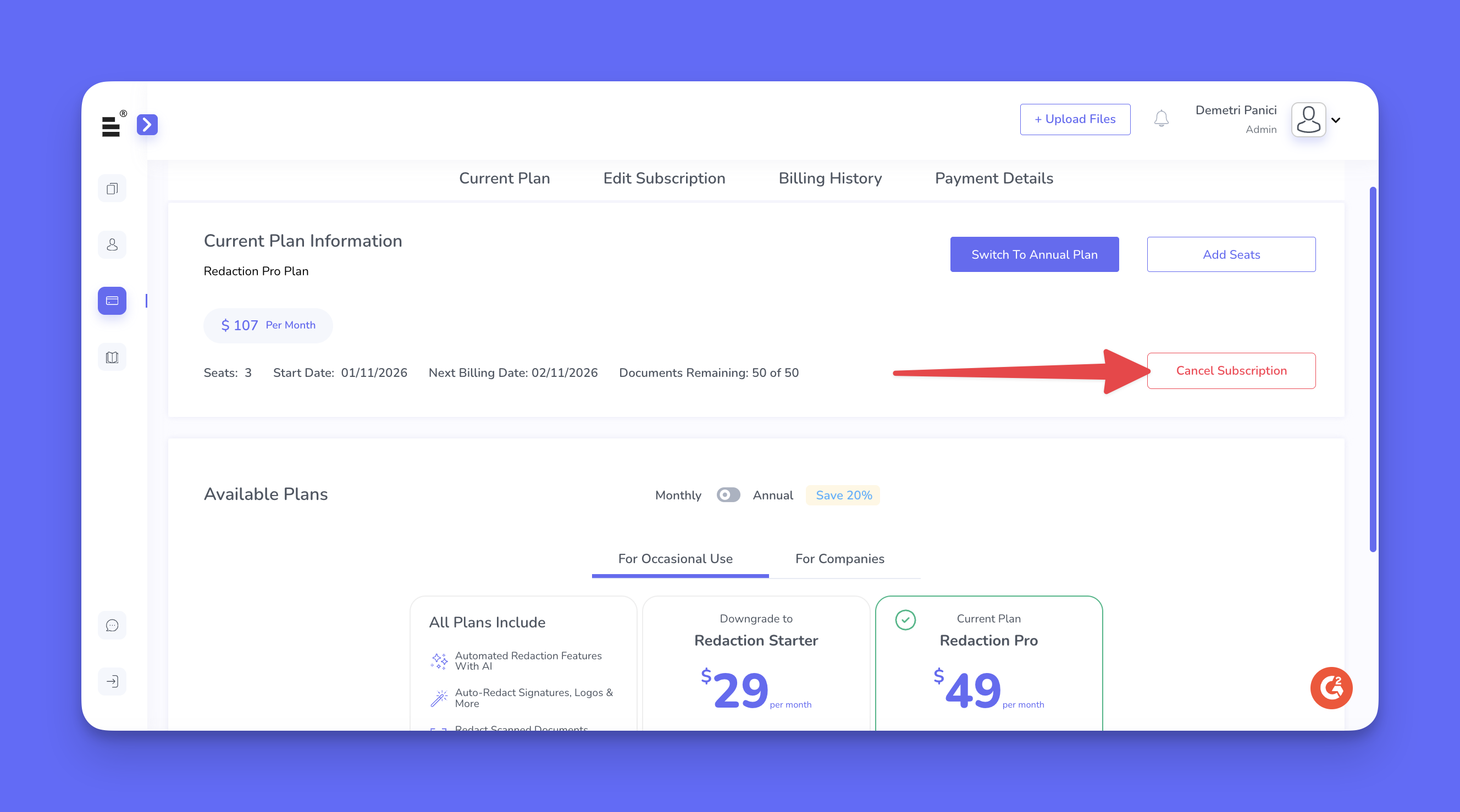
3. Review the cancellation details and confirm to complete the request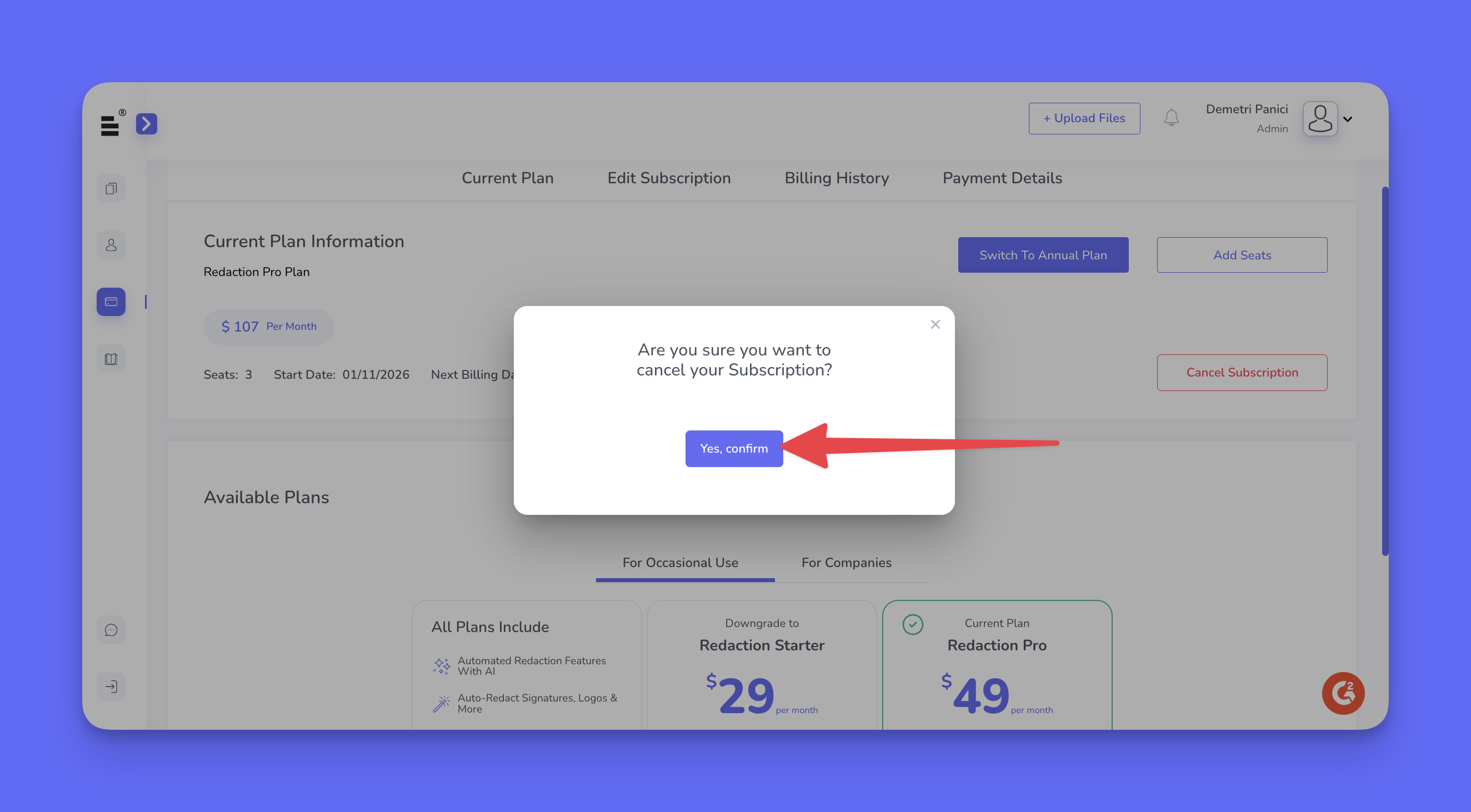
If you change your mind, you can reactivate your subscription at any time before the current billing cycle ends. Reactivation restores your subscription without requiring you to create a new account.
If you have additional questions or need help, please contact us at support@redactable.com.
Tip: For detailed instructions on how to manage your subscription, click here.
Was this article helpful?
That’s Great!
Thank you for your feedback
Sorry! We couldn't be helpful
Thank you for your feedback
Feedback sent
We appreciate your effort and will try to fix the article